Use case: one SME, every Oflync product
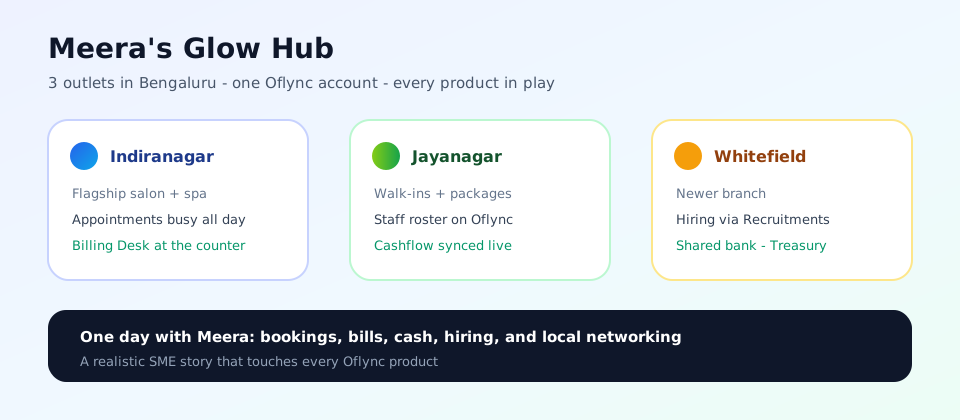
Meet Meera, owner of Meera's Glow Hub — a beauty & wellness SME in Bengaluru with three outlets, one shared bank account, and a team that keeps growing.
This page is written like a conversation and a day-in-the-life walkthrough — not a feature list. By the end of the day, Meera has touched every Oflync product.
If you run more than one location, take appointments, bill at the counter, hire people, and track cash by branch — this story is your map.
The business (quick snapshot)
| Business | Meera's Glow Hub (salon + spa + packages) |
| Outlets | Indiranagar · Jayanagar · Whitefield |
| Bank | One current account for all three |
| Team | Stylists, therapists, front desk |
| Pain before Oflync | WhatsApp bookings, Excel cash notes, unclear branch balances |
Chat: Meera explains it to a friend
Ravi (friend, single-shop owner)
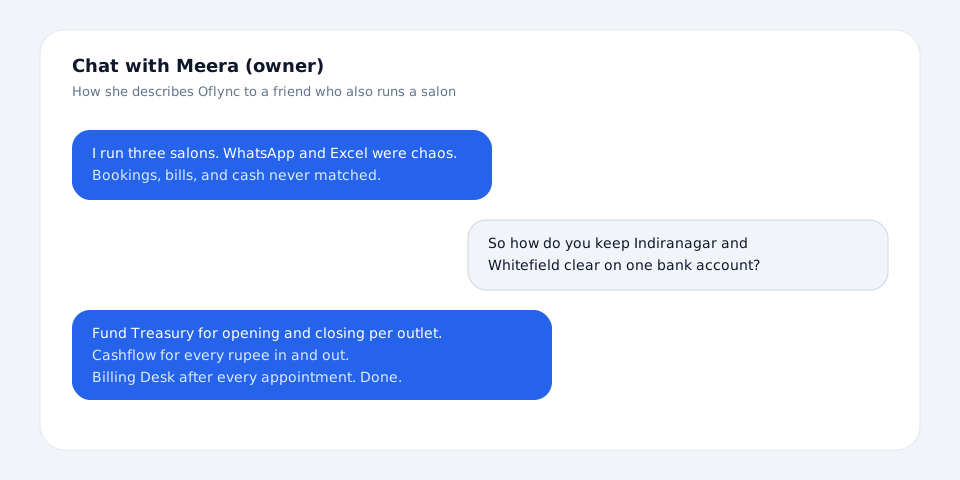
You’re running three salons now? How are you not drowning in messages?
Meera
I was. Then I put everything on Oflync. Same login for all outlets. Customers book online, staff see the calendar, I see money properly.
Ravi
But you still have one bank account. How do you know Indiranagar vs Whitefield cash?
Meera
Fund Treasury — opening and closing balance per outlet, day or month. Cashflow holds the detailed in and out. I don’t enter the same sale twice.
Ravi
And hiring? Whitefield is always short-staffed for me when I try a second branch.
Meera
Recruitments keeps candidates in one pipeline. When someone joins, they move into Staff with an employee ID — no sticky notes. I also set Shifts per outlet so Whitefield knows who covers evenings.
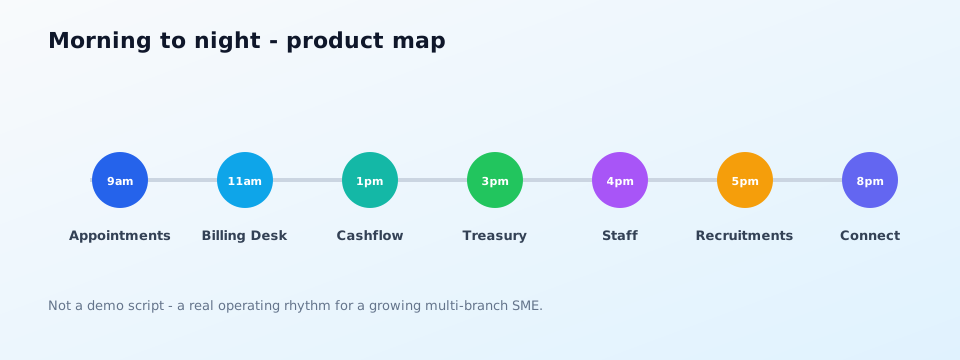
One working day — every product in play
9:00 — Appointments (Indiranagar fills up)
Meera opens Appointments. Today’s calendar shows color-coded slots for Indiranagar and Jayanagar. A walk-in arrives; front desk creates a quick booking and assigns stylist Priya from Staff.
Meera → Front desk
If the slot is free, book it in Oflync — don’t take a WhatsApp “maybe”. Priya is already on the roster.
→ Product: Appointments · linked with Staff Management
11:00 — Billing Desk (service done → invoice)
After the hair spa, the guest pays at the counter. Front desk opens Billing Desk, picks the outlet, raises the bill, and takes UPI. That payment lands in Cashflow without a second entry.
Priya (stylist)
Guest upgraded to the serum add-on. Can you add it on the bill?
Front desk
Already on Billing Desk. Invoice emailed. Cashflow will show it under Indiranagar income.
→ Product: Billing Desk · feeds Cashflow
13:00 — Cashflow (lunch check-in)
Meera glances at Cashflow: morning income from two outlets, rent scheduled as expense, supply bill logged for Jayanagar. No spreadsheet merge.
15:00 — Fund Treasury (shared bank, clear branches)
She opens Fund Treasury (free for every partner). For today she toggles Day, reviews opening balances, checks Cashflow net per outlet, and fills closing where needed. Bank total = sum of outlets — ready to compare with the statement later.
Treasury = opening/closing snapshots. Cashflow = every in/out line. Meera never re-types the same sale in both places.
→ Product: Fund Treasury
16:00 — Staff Management (shift clarity)
Whitefield needs evening coverage. Meera opens Staff → Shifts, selects Whitefield, and checks the standing board: Mon–Fri evening still shows Uncovered. She assigns Anu from the team directory, then exports CSV and forwards it to the Whitefield floor manager on WhatsApp.
Front desk still uses Staff profiles and employee IDs when assigning late slots in Appointments.
Meera → Whitefield manager
CSV attached — Anu is on Evening Mon–Fri until we replace her. Don’t invent a parallel Excel roster.
→ Product: Staff Management (directory + Shifts) · linked with Appointments
17:00 — Recruitments (pipeline, not sticky notes)
A candidate messaged on Instagram. Meera adds them to Recruitments, sets status to “Interview”, and plans a follow-up. When hired, they’ll move into Staff.
→ Product: Recruitments
18:30 — Oflync Connect (owner community)
Before wrapping up, Meera scrolls Oflync Connect (free) — a local meetup for salon owners and a short article on multi-outlet cash discipline. She saves the event and messages another partner about supplier rates.
→ Product: Oflync Connect
Product checklist from this story
| Time | Product | What happened in the story |
|---|---|---|
| 9:00 | Appointments | Calendar + walk-in quick booking |
| 11:00 | Billing Desk | Counter invoice after service |
| 13:00 | Cashflow | Income/expense visibility |
| 15:00 | Fund Treasury | Per-outlet opening/closing on one bank |
| 16:00 | Staff Management | Shifts board + CSV to manager; Appointments assignment |
| 17:00 | Recruitments | Candidate pipeline |
| 18:30 | Oflync Connect | Learning + local network |
How Meera got here (short path)
- Partner sign-up and add three outlets
- Activate a plan or voucher to unlock the paid bundle
- Start free tools anytime: Fund Treasury + Oflync Connect
- Turn on Appointments, Billing Desk, Cashflow, Staff, and Recruitments as her day needs them
Swap “salon” for clinic, tuition center, or multi-branch retail — the rhythm stays: book → bill → track cash → balance by location → manage people → learn from peers.
Related reading
- Product catalog
- Staff Management (directory + Shifts + CSV)
- Outlets & services
- Fund Treasury
- Manufacturing plant use case
- White-collar firm use case
- Partner sign-up